Modern businesses rely on multiple software platforms to manage daily operations. Customer relationship management systems, accounting software, eCommerce platforms, payment gateways, shipping providers, marketing tools, and inventory systems often operate independently, creating information silos and operational inefficiencies.
When business systems cannot communicate effectively, employees spend valuable time transferring data manually, correcting errors, and reconciling information across platforms.
Odoo integration solves this challenge by connecting business applications into a unified ecosystem where data flows automatically between systems.
This guide explains what Odoo integration is, why it matters, and how businesses can use integration to improve productivity, visibility, and operational efficiency.
Integration planning is usually part of a wider rollout, so it pairs well with our complete guide to Odoo ERP implementation if you are still early in the project.
What Is Odoo Integration?
Odoo integration is the process of connecting Odoo ERP with internal systems, external applications, third-party platforms, and business tools to enable automated data exchange and synchronized workflows.
Instead of operating multiple disconnected applications, businesses can create a centralized environment where information moves seamlessly across departments and systems.
The result is improved accuracy, faster decision-making, and more efficient operations.
Why Businesses Need Odoo Integration
As organizations grow, technology stacks become increasingly complex.
A typical business may use:
- CRM software
- Accounting systems
- eCommerce platforms
- Inventory management tools
- Payment gateways
- Shipping solutions
- Marketing automation platforms
- Human resource systems
- Business intelligence tools
Without integration, these systems often require manual updates, resulting in:
- Duplicate data entry
- Inconsistent information
- Delayed reporting
- Higher operational costs
- Increased risk of human error
- Reduced productivity
Odoo integration eliminates these challenges by creating connected business processes.
Benefits of Odoo Integration
Centralized Business Data
Integrated systems ensure that information is stored and synchronized across the organization.
Employees can access accurate, real-time data without switching between multiple platforms.
Increased Productivity
Automation reduces repetitive administrative tasks and allows teams to focus on higher-value activities.
Improved Decision-Making
Decision-makers gain access to unified reports and dashboards that combine data from multiple business functions.
Enhanced Customer Experience
Integrated customer data enables faster service, accurate order tracking, and personalized communication.
Better Scalability
As businesses expand, integrated systems provide a foundation for managing increased complexity without adding operational bottlenecks.
How Odoo Integration Works
Odoo integrations typically rely on APIs (Application Programming Interfaces), middleware solutions, webhooks, or custom connectors.
These technologies allow systems to exchange information automatically and securely.
For example:
- New online orders can automatically appear in Odoo.
- Inventory levels can update in real time.
- Accounting records can synchronize with financial systems.
- Customer information can flow between CRM and marketing platforms.
This eliminates manual intervention and improves data consistency.
Common Odoo Integration Types
eCommerce Integration
Online stores generate significant amounts of customer, order, and inventory data.
Popular integrations include:
- Shopify
- WooCommerce
- Magento
- BigCommerce
- PrestaShop
Benefits include:
- Automated order synchronization
- Real-time inventory updates
- Centralized customer management
- Streamlined fulfillment processes
Businesses gain complete visibility into their online sales operations.
Hundreds of ready-made connectors for these and other platforms are listed on the Odoo Apps Store integrations category, which is worth checking before building anything custom.
Accounting Integration
Financial accuracy is critical for business success.
Accounting integrations help synchronize:
- Invoices
- Payments
- Expenses
- Tax information
- Financial reports
This reduces manual bookkeeping and improves reporting accuracy.
Payment Gateway Integration
Modern customers expect flexible payment options.
Odoo can integrate with various payment providers to automate transaction processing and financial reconciliation.
Benefits include:
- Faster payment collection
- Improved cash flow visibility
- Reduced administrative work
- Better customer experience
Shipping and Logistics Integration
Shipping integrations connect Odoo with logistics providers.
Common capabilities include:
- Shipping label generation
- Real-time tracking updates
- Delivery status synchronization
- Freight cost calculations
This improves order fulfillment efficiency and customer satisfaction.
CRM and Marketing Integration
Sales and marketing teams often use specialized platforms to manage customer engagement.
Integrations can synchronize:
- Leads
- Contacts
- Campaign data
- Customer interactions
- Sales opportunities
This creates a unified customer journey across departments.
Human Resource Integration
Businesses can connect HR applications with Odoo to manage:
- Employee records
- Payroll information
- Attendance data
- Leave management
- Performance tracking
Integrated HR systems reduce administrative complexity and improve workforce management.
When no ready-made connector exists for a system you rely on, building one usually falls under Odoo customization rather than standard integration work.
Business Processes Improved Through Odoo Integration
Sales Management
Integrated sales systems allow teams to manage leads, quotations, orders, and invoices from a single platform.
Inventory Management
Inventory updates occur automatically when orders are placed, products are received, or stock movements occur.
Financial Management
Accounting data remains synchronized across business systems, improving accuracy and compliance.
Customer Service
Support teams gain access to complete customer information, enabling faster and more effective service.
Procurement Operations
Purchasing workflows become more efficient through automated supplier communication and inventory monitoring.
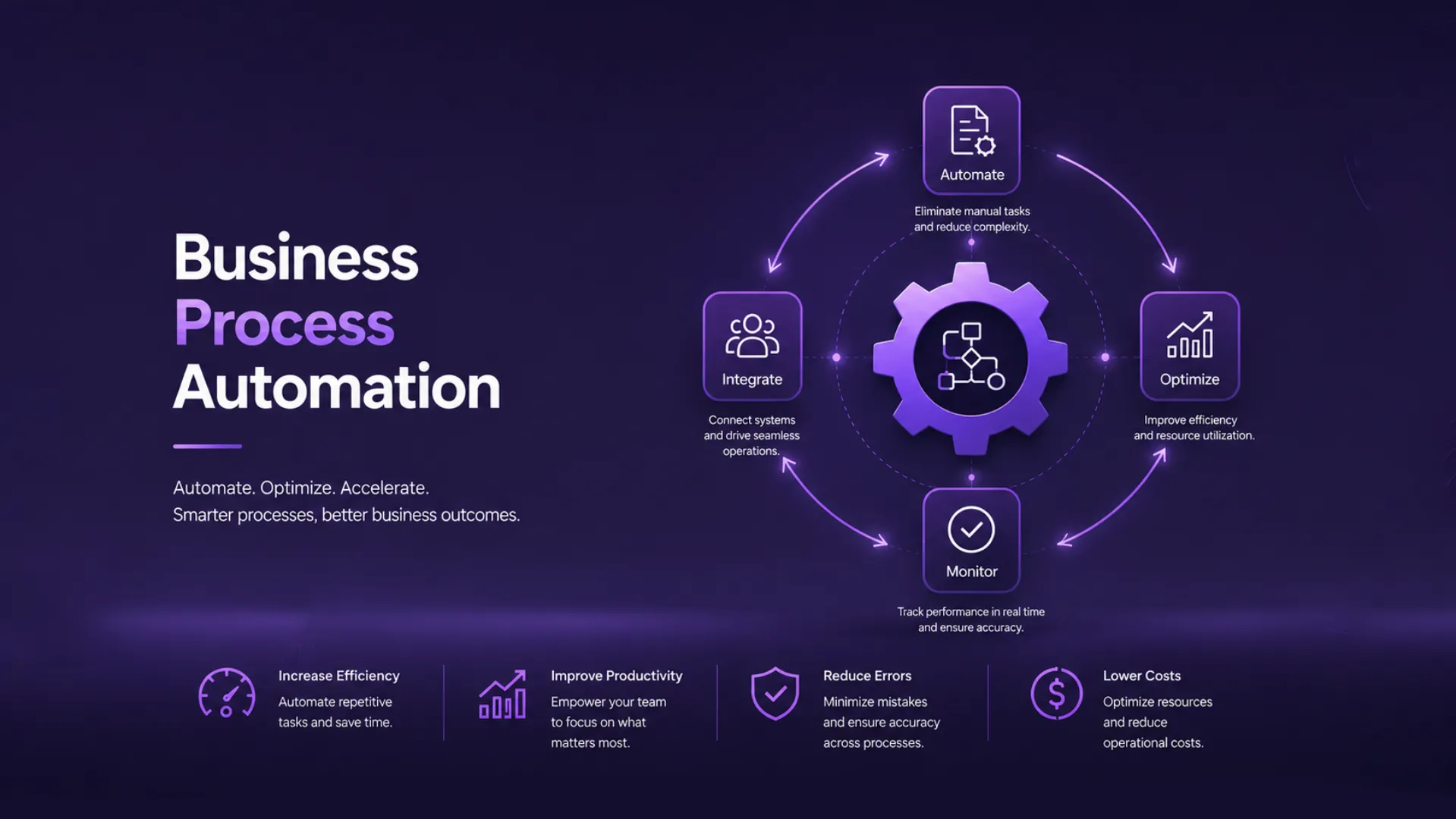
Many of these gains overlap with broader business process automation with Odoo, since integration is usually the data layer that automation rules run on top of.
Signs Your Business Needs Odoo Integration
You may benefit from Odoo integration if:
- Employees manually transfer data between systems.
- Multiple departments use disconnected software.
- Reporting requires data collection from several platforms.
- Inventory discrepancies occur frequently.
- Customer information is inconsistent across systems.
- Business growth is increasing operational complexity.
Addressing these issues through integration can significantly improve efficiency.
Challenges of Operating Without Integration
Organizations that rely on disconnected systems often face:
Data Silos
Departments work with incomplete information, making collaboration difficult.
Human Errors
Manual data entry increases the likelihood of mistakes.
Delayed Decision-Making
Managers lack access to real-time information needed for effective planning.
Increased Costs
Inefficient processes consume valuable employee time and resources.
Poor Customer Experiences
Disconnected systems often lead to delayed responses and inaccurate information.
Best Practices for Successful Odoo Integration
Define Clear Objectives
Identify specific business challenges that integration should solve.
Prioritize Critical Systems
Begin with integrations that provide the greatest operational impact.
Maintain Data Quality
Clean and accurate data improves integration reliability and reporting accuracy.
Focus on Security
Protect sensitive business information through secure authentication and access controls.
Plan for Scalability
Design integrations that can support future growth and additional systems.
Integrations also need upkeep as APIs change on the other end, which is part of why ongoing Odoo support and maintenance matters even after a connector is working.
Frequently Asked Questions
Can Odoo integrate with third-party applications?
Yes. Odoo supports integration with a wide range of business applications, eCommerce platforms, payment gateways, logistics providers, and software systems.
Does Odoo offer API capabilities?
Yes. Odoo provides APIs that allow developers to build custom integrations and automate data exchange between systems.
Is custom integration always necessary?
Not always. Many popular applications already have existing connectors that simplify the integration process.
How long does an Odoo integration project take?
Project timelines depend on the complexity of the systems involved, data requirements, and business objectives.
Conclusion
Odoo integration plays a critical role in creating a connected and efficient business environment.
By eliminating data silos, automating workflows, and synchronizing information across departments, integration helps organizations improve productivity, reduce errors, and make better business decisions.
As businesses continue to adopt multiple technologies, the ability to connect systems effectively becomes increasingly important. Organizations that invest in strategic Odoo integration gain greater operational visibility, enhanced customer experiences, and a scalable foundation for future growth.
When implemented correctly, Odoo becomes more than an ERP platform—it becomes the central hub that connects every aspect of business operations.
Want help mapping your own integration roadmap? Talk to our Odoo integration team, or browse our success stories for examples of similar projects.